
Help & Setup Guide
Everything you need to install the Redline app on your phone and get the most out of your Kelvio — on site or at your desk.
Get the App
Install Redline on your phone or tablet
Your Dashboard
Portfolio overview & compliance score
Documents
View, download & version history
Compliance & Expiries
Stay ahead of renewal dates
Emergency & QR
On-site emergency access
AI Concierge
Ask about your own compliance
Share the App
QR poster & email signature
Get the app on your phone
You can add Redline to your home screen straight from your phone's browser — no App Store needed. It opens full-screen, just like a native app.
iPhone / iPad (Safari)
- 1Open your Redline site in Safari
- 2Tap the Share button
- 3Choose Add to Home Screen
- 4Tap Add — done
Android (Chrome)
- 1Open the site in Chrome
- 2Tap the ⋮ menu
- 3Tap Install app
- 4Confirm — the icon appears on your home screen
Using Kelvio
Short guides to each part of your platform, with screenshots.
Your Dashboard
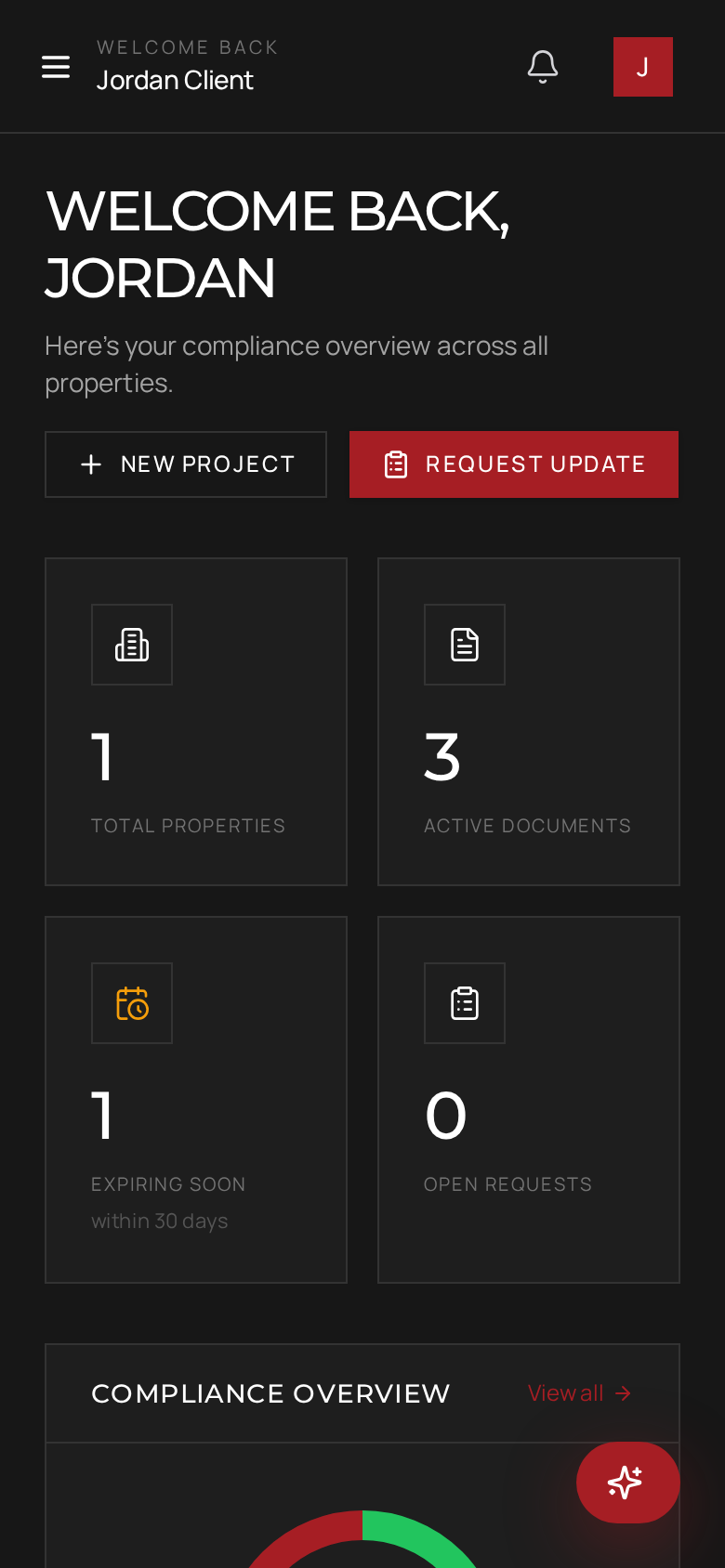
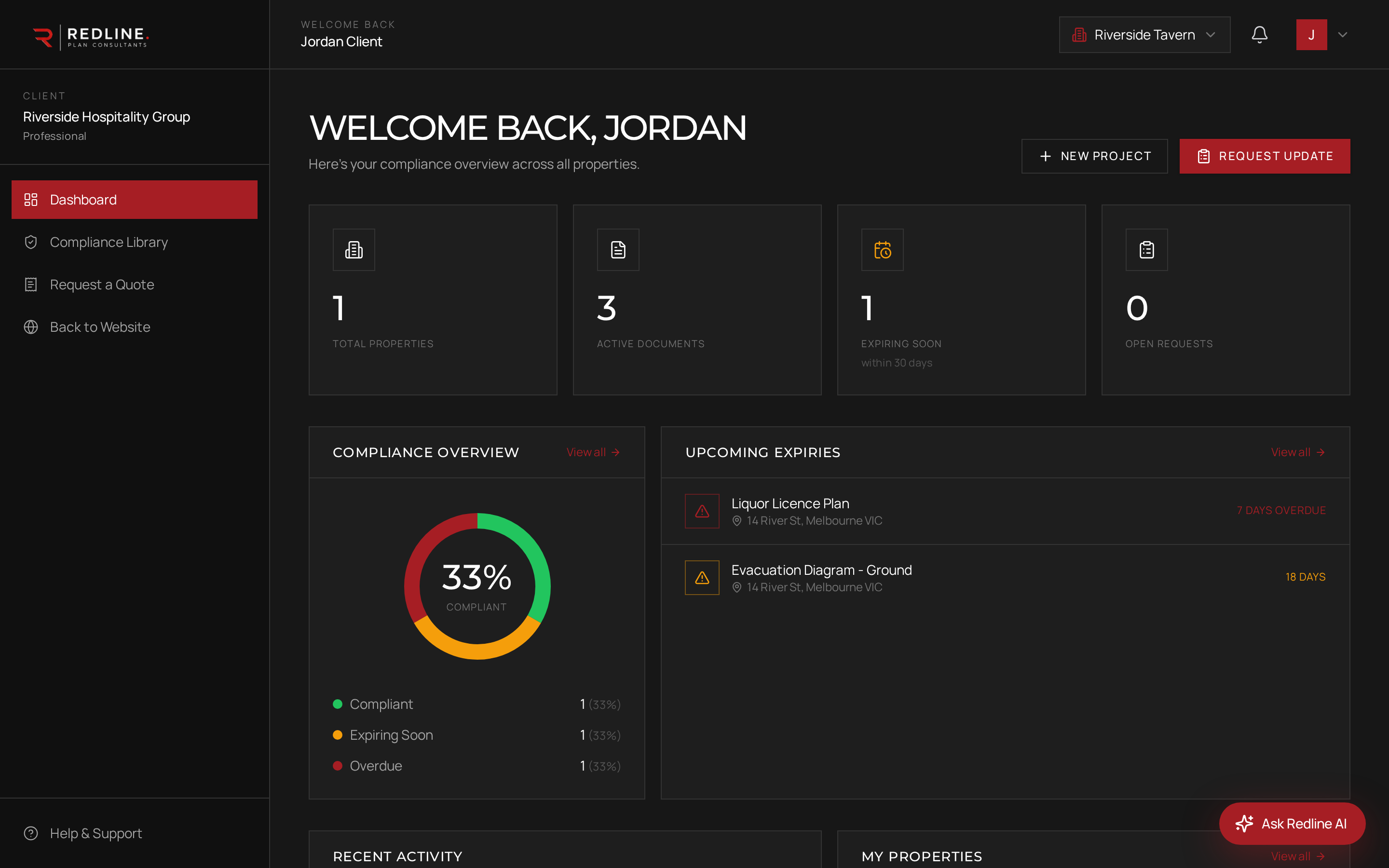
Your dashboard is a portfolio overview across every property. At a glance you'll see Total Properties, Active Documents, how many items are Expiring Soon, and any Open Requests. The Compliance donut shows the share of your documents that are compliant, expiring or overdue. Tap any property in 'My Properties' to open it.
Documents
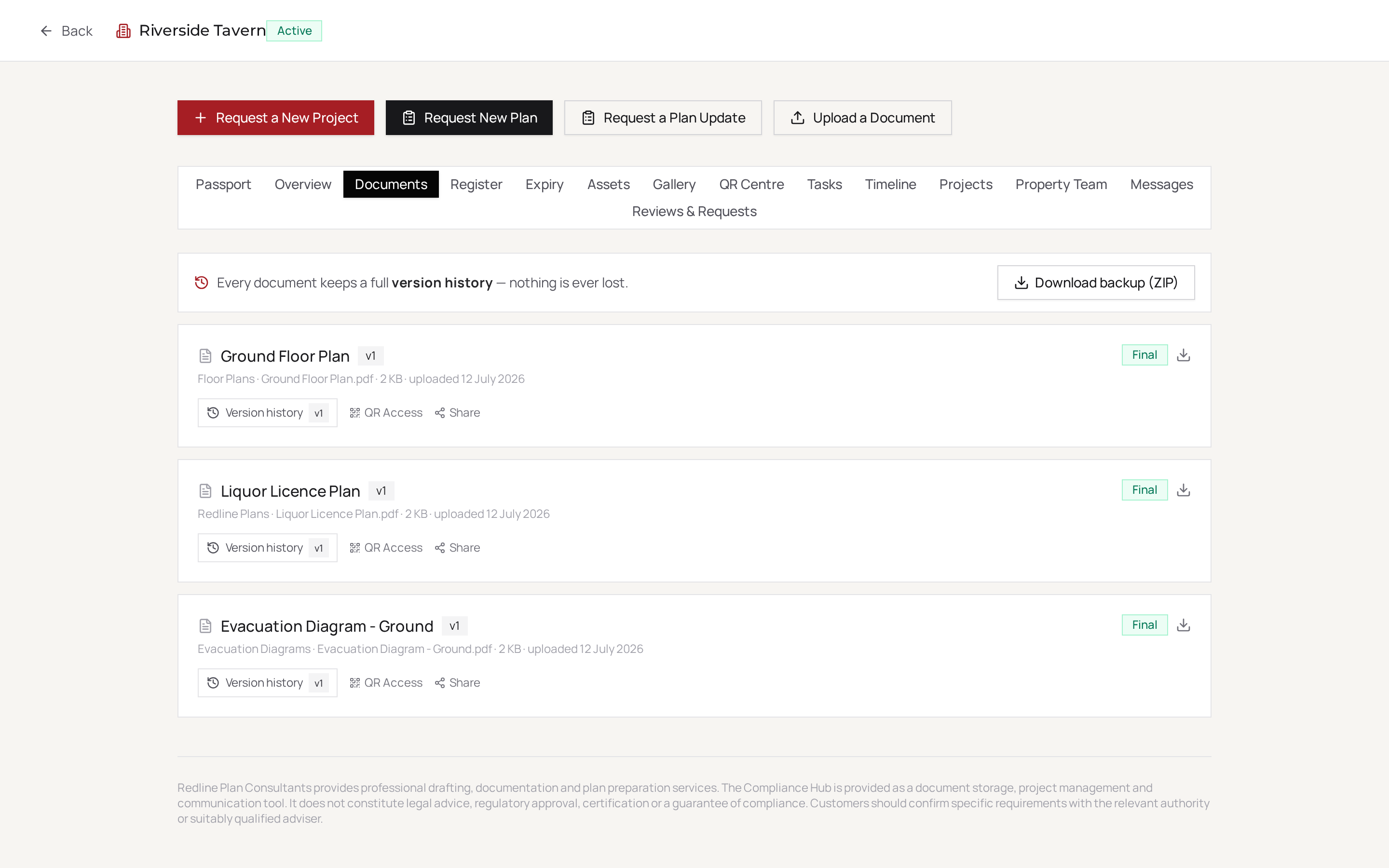
Every plan, diagram and supporting document lives under each property. Open a property to see its Document Centre, download the latest version, or expand 'Versions' to compare revisions. On the app, tapping a document opens it securely in your browser.
Compliance & Expiries
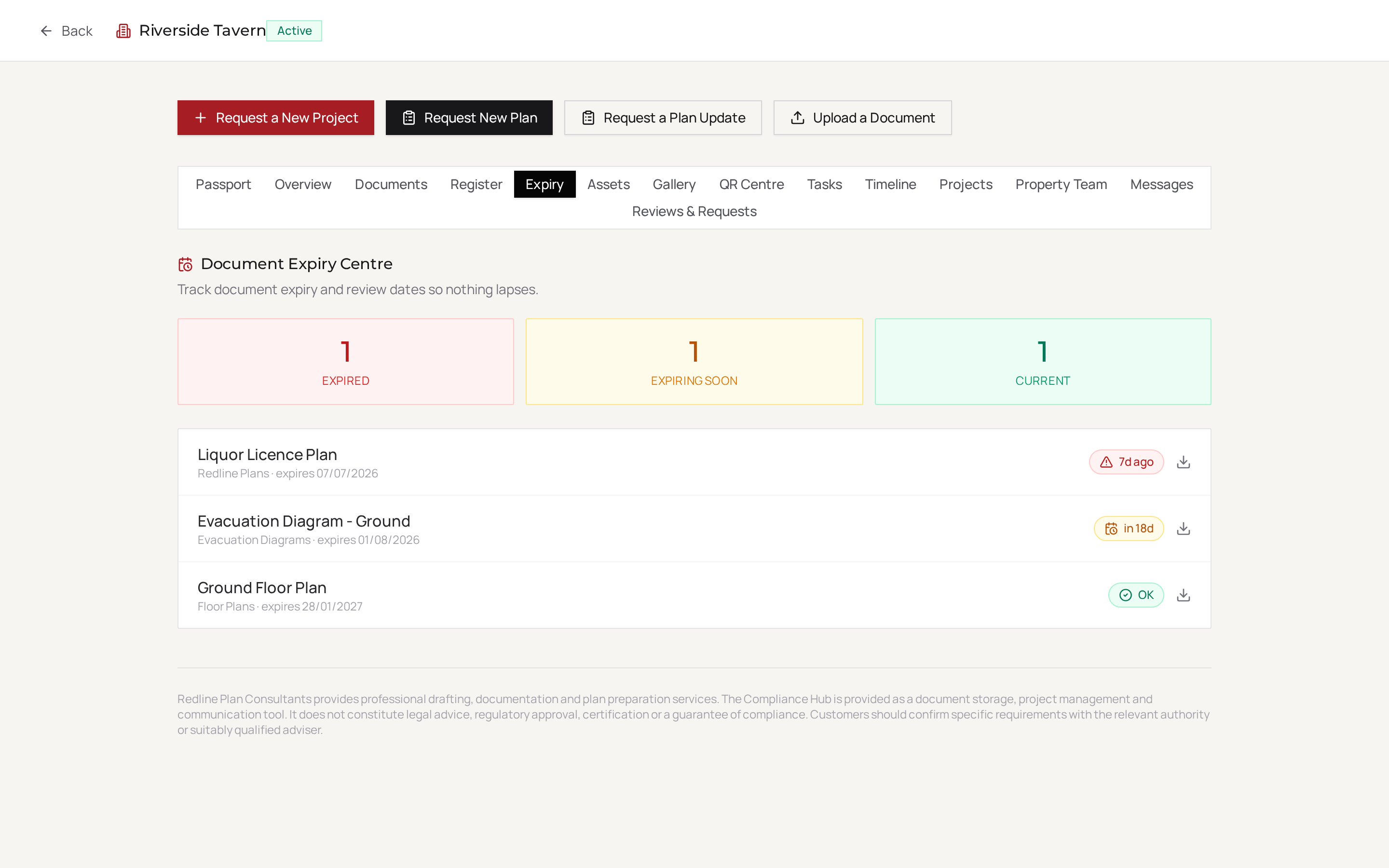
The Compliance Expiry Centre lists documents by expiry status — Expired, Expiring Soon (within 30 days) and Current. 'Upcoming Expiries' on your dashboard surfaces what needs attention first. When something is due, you can request an update in a couple of taps.
Emergency & QR Access
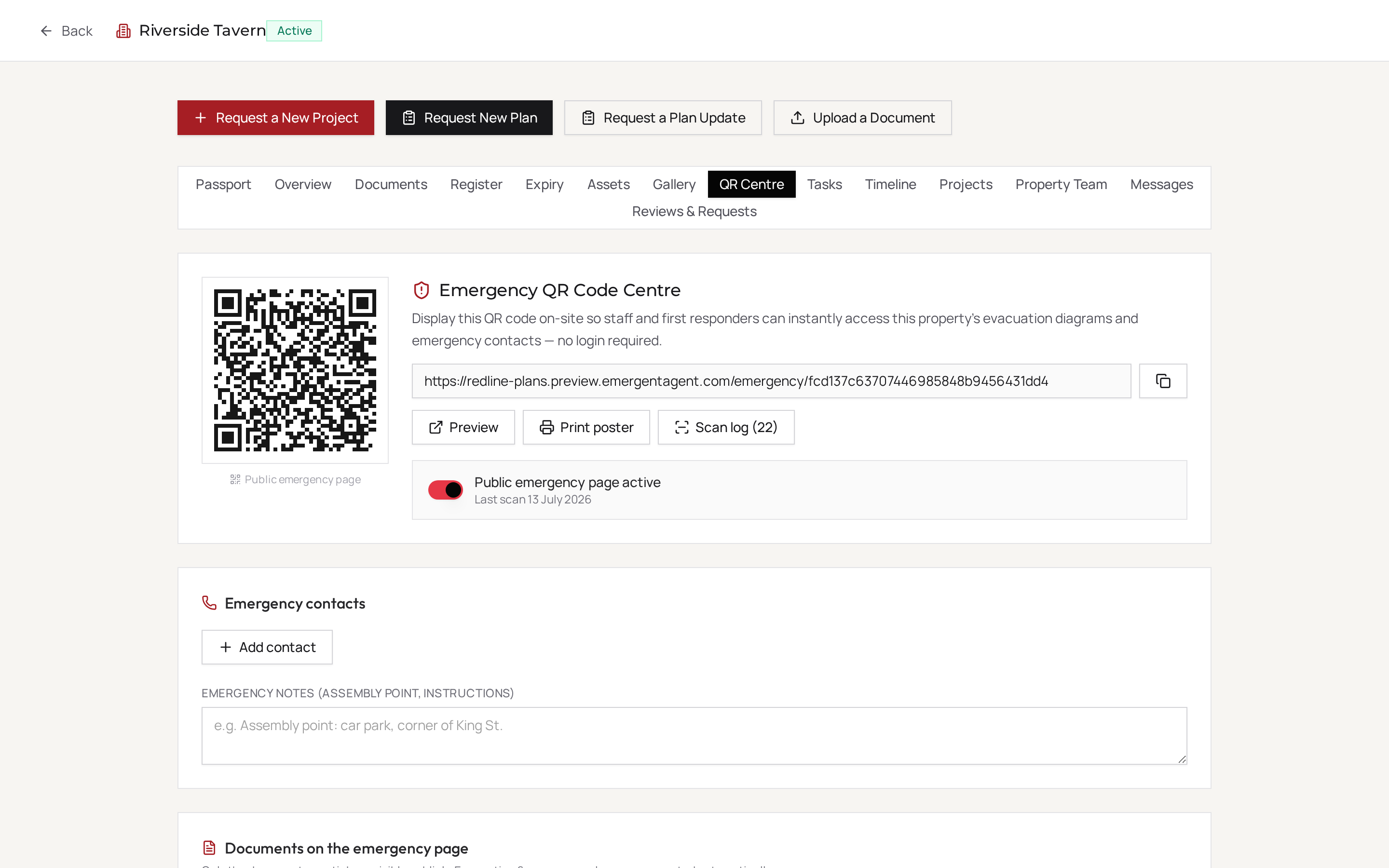
Each property has a printable QR poster. Anyone on site can scan it (or use the Scanner tab in the app) to instantly reach emergency contacts, evacuation diagrams and key documents — no login required. You control exactly which documents are public.
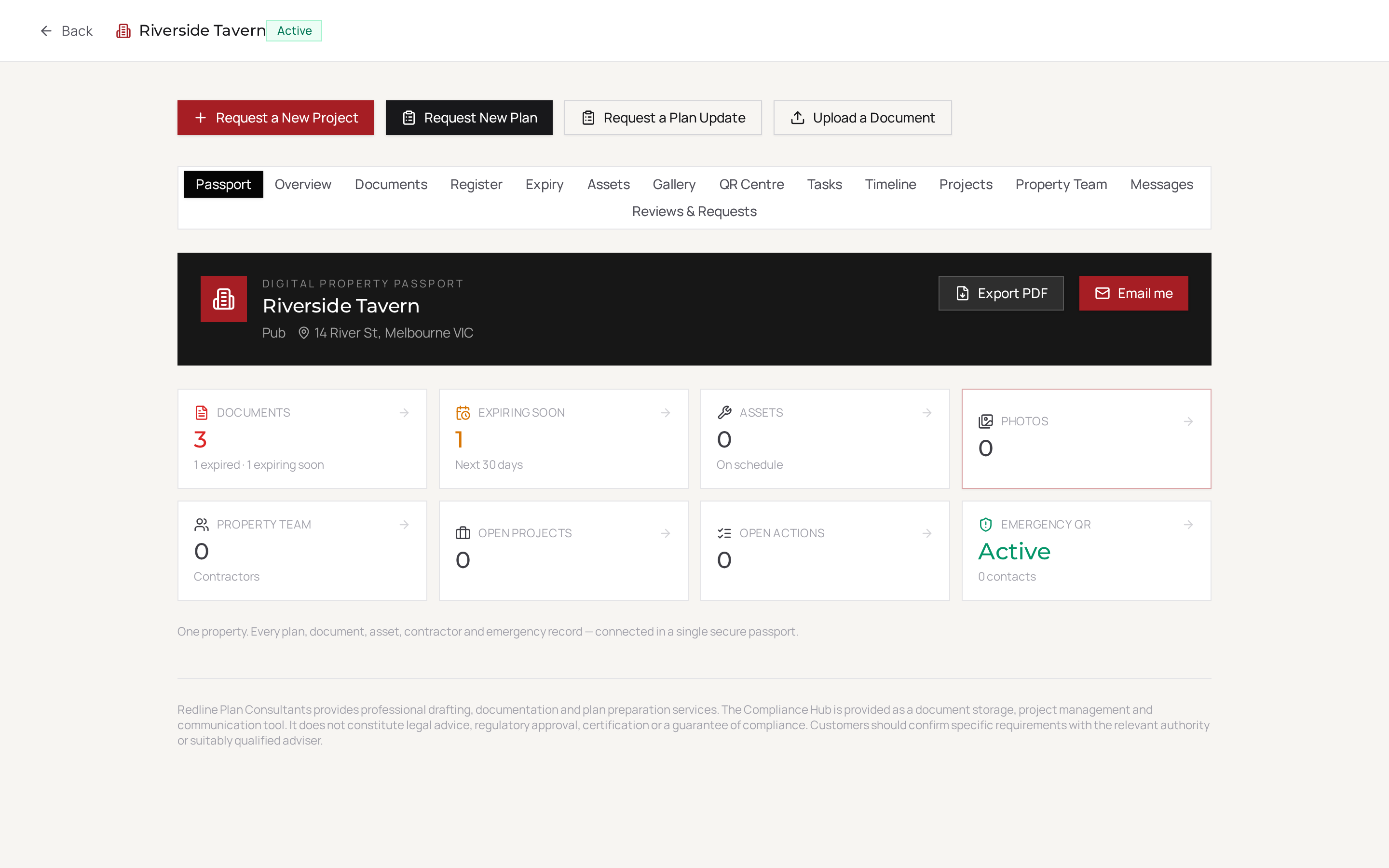
Property Passport
The Digital Property Passport is a single summary of a property's documents, assets, photos, contractors and emergency status. You can export it as a branded PDF or have it emailed to you automatically each month.
AI Concierge
Ask questions in plain English about your own documents and compliance — "What's expiring this month?" It only answers from your authorised data, never guesses, and never gives legal advice.
Account & Login
Log in with the same email and password on the web and the app. New to Redline? Use "Activate My Account" on the login screen, or contact us and we'll set you up.
Frequently asked
Still need a hand?
Our team is here to help you get set up.